AI social media managerInstagram · TikTok · X + 8 more channels
Give it your link. Get a month of posts.
Feedhand reads your site, learns what your customers love and turns your photos into Reels, carousels and stories, each one timed for when your audience scrolls. You approve, then share.
- Free preview: 3 minutes of questions, ready a minute later
- Written for each country you sell in
- Five site languages
Istanbul → Court St
Our menemen starts here.
nova.kitchen

nova.kitchen
Nova Kitchen · Carroll Gardens, Brooklyn
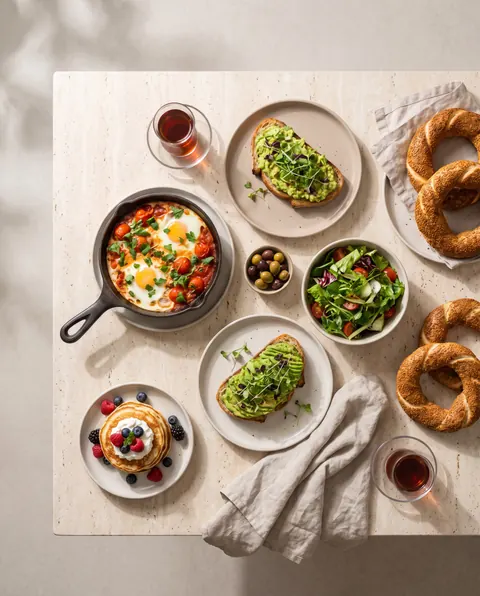
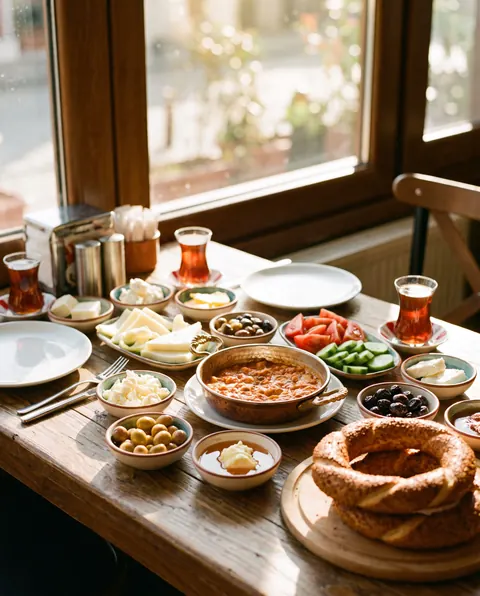

nova.kitchen First time at Nova? Swipe for the order that never misses. 1. The Spread for two ($58) 2. Add the menemen ($17) 3. Extra simi… more
nova.kitchen
Weekday mornings on Court St are the quiet ones.
WhyWed 8:00 AM: fills the quiet weekday morning
WhyAnswers what first-timers ask most
WhyThe founder's story, from the About page
Nova Kitchen is a sample brand. Every photo and video here came from the same engine that makes your posts.
What is Feedhand?
Feedhand is an AI social media manager for small businesses: it learns your brand from your website and your answers, plans a month of posts, writes and designs each one, and sends it to you for approval.
Instagram, TikTok and X get the full mix: Reels and videos, carousels, stories and posts. Reddit, LinkedIn, Google Business Profile, WhatsApp, Threads, Facebook, YouTube Shorts and Pinterest get ready-to-post packages written to each channel's rules.
Auto-posting is not live yet. You post each approved post yourself from a guided package with the media, caption and steps ready; it takes about a minute.
The finished month
This is what “done” looks like.
Every square is a post that is already written, designed and timed. Your part: approve it, then post it from its ready package.
0
posts planned and created
Sample month for Nova Kitchen · November
Mon
Tue
Wed
Thu
Fri
Sat
Sun
Reel
12:00 PM
Video
8:00 AM
Carousel
10:30 AM
Post
10:30 AM
X post
12:00 PM
Reel
12:00 PM
Video
10:30 AM
Carousel
6:00 PM
Post
7:45 AM
X post
6:00 PM
Reel
12:00 PM
Video
10:30 AM
Story
12:00 PM
Story
7:45 AM
Carousel
6:00 PM
Reel
7:45 AM
Video
10:30 AM
Story
12:00 PM
Story
7:45 AM
Carousel
6:00 PM
Reel
8:00 AM
Video
12:00 PM
Story
7:45 AM
Story
10:30 AM
Carousel
6:00 PM
Post
12:00 PM
X post
12:00 PM
Reel
6:00 PM
Story
10:30 AM
Carousel
12:00 PM
30 ready for your approval
See my free previewLive example
Watch how it learns a brand.
- Read novakitchen.comMenu, hours, the About page, order-ahead link
What I read
Nova KitchenMenu
novakitchen.com/menu- The Spread, for twoMost mentioned$58
- MenemenMost mentioned$17
- Simit, kaymak & honey$9
- Cardamom cortado$5.75
- Pistachio morning bun$6.50
- Bottomless Turkish tea$4
Busiest hours
Sat–Sun, 10:30 AM–1 PM
Weekdays: a coffee rush from 7:30 to 9, then quiet until lunch.
People love
- The Spread, for sharing
- Simit baked fresh
- Cardamom cortado
- Unhurried staff
Gets in the way
- Weekend waits around 40 min
- First-timers unsure what to order
The difference
Not a tool. A manager.
Scheduling tools
- Give you a calendar to fill
- You bring the ideas and the brief
- Leave each platform's rules to you
Feedhand
- Fills the month: planned, written and designed
- Learns your brand first, from your site and your answers
- Follows each platform's sourced rules and shows which
Where they're ahead: scheduling tools can post for you automatically. Feedhand can't yet; you post each approved post from a ready package, in about a minute.
How it works
How the AI social media manager works
Five steps. You only do the first and the last.
- 01
Connect and tell
Paste your website or app link. If you like, describe your brand in your own words and upload your product photos, menu or catalog.
novakitchen.com“We're a Turkish breakfast spot in Carroll Gardens. Our regulars come for the weekend spread…”Drop photos, videos, a menu or a catalog
- 02
It understands
Feedhand reads your site, combines it with what you told it and finds your business model, audience and voice. What you say always comes first, and every finding shows where it came from.
Brand brain
Nova Kitchen
- Audience
- Weekend brunch groups, Weekday regulars, Curious first-timersfrom you
- Voice
- Warm, Generous, Dry witfrom your site
- Business model
- Dine-in brunch plus order-ahead coffee. Weekends fill themselves; weekday mornings are where the room sits empty.from your menu
- 03
It plans
A full month for the platforms you pick: Reels, carousels, stories and posts on Instagram, TikTok and X, and ready-to-post packages for 8 more channels, each paced to its own platform's rules.
Oct 26 – Nov 1 · New York time
12 posts · Instagram, X, TikTok
Mon26Tue27Wed28Thu29Fri30Sat31HalloweenSun1Clocks fall backInstagram · Post · Sun 9:30 AM ET
Sunday: the Spread for two
Clocks fall back today. I keep it at 9:30 AM New York time, so it still meets the late-breakfast crowd.
Tap a post to see why it's there
- 04
It creates
Videos, carousels and stories built from the product photos you upload (designed cards when there are none), in your colors, with captions, hashtags and your location ready.
Video and images made with Viralance, our production engineViralance is run by the same company, and its cost is part of your Feedhand package: you don't need a Viralance account. It is also sold separately, for people who want to make extra concepts themselves, like virtual try-ons, 3D and cinematic ads.
- 05
You approve
Each post arrives on your phone exactly as it will look. Approve, reject, or tap anywhere to change it. Then post it from its package: media, caption and steps in order, about a minute.
nova.kitchen
Nova Kitchen · Carroll Gardens, Brooklyn
1/6nova.kitchen First time at Nova? Swipe for the order that never misses. 1. The Spread for two ($58) 2. Add the menemen ($17) 3. Extra simi… more
Why this post?
- Goal
- Saves and shares
- Audience
- People who don't follow you yet
- Hook in the first 125 charactersverified
- At most 5 relevant hashtagsverified
- Unswiped carousels get a second showingverified
Themes
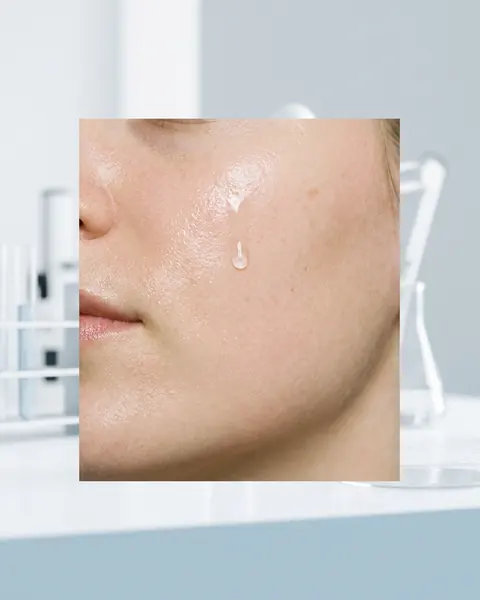
Pick a look. Every post follows it.
Choose a theme or let Feedhand build one from your brand. Colors, light and rhythm stay consistent across your whole grid.

bloom.lab
128 posts · 12,4K followers














Platform rules
Knows the rules of every platform.
Built on a sourced rulebook for each platform, reviewed and updated regularly by our team. Every post tells you which rules it follows.
Instagram
- Only Reels up to 3 min get recommendedverified
- Up to 5 hashtags, specific not genericverified
TikTok
- Realistic AI videos get an AI labelverified
- Original only, no other apps' watermarksverified
X
- Replies and shares outweigh likesverified
- Context in the post; the link is optionalverified
Reddit
- Brand ties always disclosedverified
- Subreddit rules first; 9:1 as a guideverified
Pricing
Pay for what you post.
Price for your platforms
Pick where you post; the price and the numbers follow, platform by platform.
Photo
$69/mo
1 post a day, no video
- Posts
- 30
- Stories
- 30
- Videos
- 0
- AI edits
- 20
Platform by platform
- Instagram12 posts + 30 stories
- TikTok8 photo posts
- X10 posts
- Carousels and single images
- Monthly plan and yearly map
- Theme and grid preview
Starter
$139/mo
1 post a day
- Posts
- 30
- Stories
- 30
- Videos
- 16
- AI edits
- 30
Platform by platform
- Instagram12 posts (8 Reels) + 30 stories
- TikTok8 videos
- X10 posts
- 16 Reels / TikTok videos
- Trend radar and competitor notes
- Share-ready packages
Growth
$349/mo
3 posts a day
- Posts
- 90
- Stories
- 60
- Videos
- 44
- AI edits
- 60
Platform by platform
- Instagram36 posts (20 Reels) + 60 stories
- TikTok24 videos
- X30 posts
- 44 videos, plus carousels and images
- Client review link, no login needed
- Learns from the results you log
Pro
$549/mo
5 posts a day
- Posts
- 150
- Stories
- 90
- Videos
- 70
- AI edits
- 120
Platform by platform
- Instagram60 posts (30 Reels) + 90 stories
- TikTok40 videos
- X50 posts
- 70 videos
- Everything in Growth
- The most posts per platform
Prices are per brand: each brand is its own package, with its own month, numbers and AI budget. Switch between brands in one click.
Unlimited team members on every package: invite editors, approvers and viewers at no extra cost.
Add-on packs
If a month isn't enough for one brand: a pack adds to that brand's current month only. No subscription, no automatic top-ups.
- +30 posts · $49
- +10 videos · $59
- +50 AI edits · $19
Pay online by card through Dodo Payments, our merchant of record; any sales tax is added at checkout for your country. Your package opens as soon as the payment goes through.
Auto-posting is not live yet. Until then every post arrives as a full-resolution package with the media, caption and steps ready, so posting it from your phone takes about a minute.
Our billing promise
No hidden fees. No pay-per-use.
Billing is where AI tools lose people's trust. Here is exactly how ours works.
A real person answers
Write from the app or to hello@feedhand.com. A person, not a bot, answers, usually within two business days.
We never charge per regeneration
Your plan includes 20 to 120 AI edits a month. Rewrites, and replacements for posts you reject, come out of that allowance. When it runs out, nothing is charged: it refills next month.
A reminder 7 days before renewal
For packages paid online: by email and in the app, once per billing period, so a renewal never comes as a surprise.
Cancel in two taps
Settings → Plan → Cancel, in the app on any device, phone included. No call, no form, no desktop needed.
Keep what you made
After you cancel, your plan runs to the end of the period you paid for. After that you can still view every post and download every approved post.
Free preview, no card
See what Feedhand understood about your brand and 3 first-draft posts before you pay anything. We never ask for a card for the preview, so nothing can renew by accident.
Questions
Do I have to give you my password?
No. To analyze your brand we only need your website or app link and whatever you choose to tell us or upload. When auto-posting launches, you connect accounts only through Instagram's, TikTok's and X's own official sign-in screens.
Will the posts really show my products?
Yes. Feedhand edits your own photos and clips first: crop, cut, captions, rhythm. When AI adds motion or a scene, it starts from your photo and is told to keep the product exactly as it looks (shape, colour, label). AI can still get a detail wrong, so every AI visual is labelled and you see it before you approve. It never shows a made-up customer or employee, and you can choose real media only.
Could anything harmful be posted?
Every post passes safety checks before it reaches you, and nothing is ever posted without you: auto-posting isn't live, so you post each approved post yourself. In health, finance and beauty the claims check is stricter and can't be switched off.
Is AI-made content labeled?
Yes. Every visual shows where it came from: your media, AI-edited or AI-generated. Posts with AI visuals come with the platform's AI label steps (EU law requires it for EU audiences), and paid partnerships with their disclosure.
Can I cancel anytime?
Yes. Cancel in two taps in Settings → Plan, in the app on any device. Your posts keep coming until the end of the period you paid for; after that you can still view every post and download every approved post.
Do rewrites cost extra?
No. Rewrites and replacements for rejected posts come out of your plan's monthly AI edits. When they run out, nothing is charged; they refill next month.
Is there a free preview?
Yes, instead of a time-limited trial, and with no credit card. Give it your website, App Store or Google Play link, or your @handle and answer a few short questions about your brand (about 3 minutes). About a minute later you see a short summary of what Feedhand understood about your brand (with sources), 3 first-draft posts in platform previews in your brand colors, the first thing it would do and a look at how your month would be scheduled. Preview posts use template designs and no video; if your site has a usable photo, one of them gets a single AI image made from that photo, labelled as such. Only your first chosen country is used for the preview; the others are saved and researched when your plan starts.
What does a paid plan add?
The full brand brain (a deep analysis of your brand), research for each country you chose, sourced competitor research, a full month planned and written, Reels and videos (on plans with video), Pip the in-app assistant, weekly moments and monthly reports.
How do I pay for a plan?
Pay online by card through Dodo Payments, our merchant of record; any sales tax is added at checkout for your country. Your package opens as soon as the payment goes through.
Can I run more than one brand?
Yes. Each brand is its own package with its own month, numbers and AI budget, so a second brand is a second package. Add a brand from the brand menu, pick its package, and switch between brands in one click.
Why does the price change with platforms?
Each platform gets its own month: Instagram posts, Reels and stories, TikTok videos and photo posts, YouTube Shorts videos, a number of posts for each text platform. You pay for the platforms you pick, and you can move numbers between them later within your package.
What if a month isn't enough?
Add a pack for that brand's current month: +30 posts, +10 videos or +50 AI edits. It ends on the 1st; nothing renews by itself. Or move the brand to a bigger package.